Text Message Mail Merge: Send Personalized Mass Texts From Your iPhone
What a text mail merge is
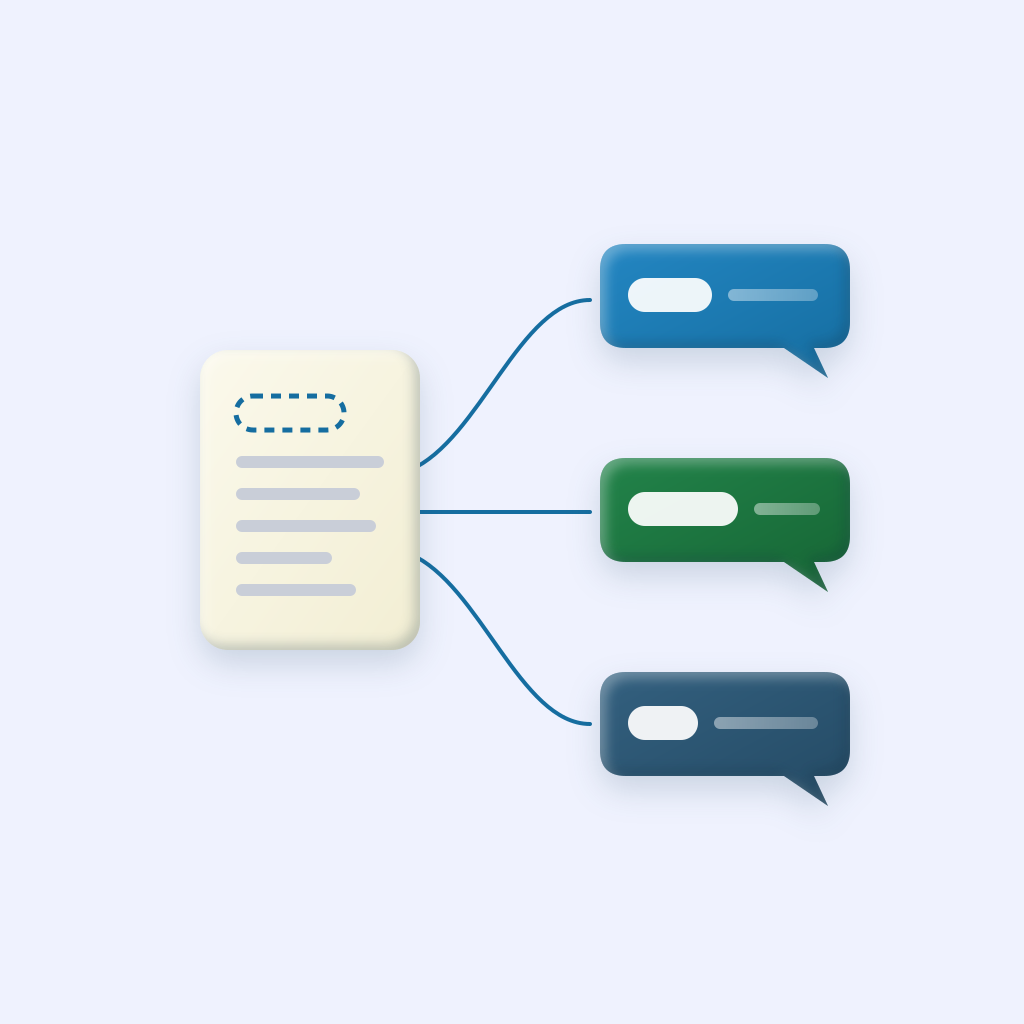
If you’ve used mail merge in Word or Gmail, you know the idea. You write one letter with placeholders, connect a list of people, and the software produces a separate copy for each person with their details filled in.
A text mail merge does the same thing with text messages:
You write:
Hi {FirstName}, practice moves to 6pm tonight. See you there!
They receive:
- Hi Sarah, practice moves to 6pm tonight. See you there!
- Hi Marcus, practice moves to 6pm tonight. See you there!
- Hi Priya, practice moves to 6pm tonight. See you there!
Each one arrives as its own one-on-one text. No group chat, no visible list of other recipients. A name is a small thing, but it changes how a message lands, which we wrote about in group texts are hurting your relationships.
Step 1: Get your list in shape
A merge is only as good as the names behind it. If your contacts are already on your iPhone with first names saved, you can skip to step 2. If your list lives in a spreadsheet, set it up with one row per person and a column for each detail:
| First Name | Last Name | Phone | Company |
|---|---|---|---|
| Sarah | Lee | (555) 201-3344 | Lee Dental |
| Marcus | Hall | (555) 418-9902 | Hall Roofing |
Before exporting, clean it up:
- Use the name people actually go by. “Bob” in the first-name column, not “Robert J.”
- Put only the first name in the first-name column, not the full name.
- Remove duplicates, so nobody gets the same text twice.
- Fix capitalization. “SARAH” and “sarah” both look automated.
Then export it. In Excel, use File, Save As, and choose CSV. In Google Sheets, use File, Download, Comma Separated Values.
Step 2: Import your contacts
Open BCC Text and either pick people from your iPhone contacts or import the CSV. Save them as a named group, like “Book Club” or “Past Clients 2025”, so next time you can reuse it in one tap.
Step 3: Write with merge tokens
BCC Text supports three merge tokens:
{FirstName}: the one you’ll use most. “Hi {FirstName}!”{LastName}: for more formal messages. “Hello Mr. {LastName}.”{Company}: for business contacts. “Thanks to everyone at {Company}.”
Write the way you’d text one person. A merged message should read like a normal text, not a form letter. One name near the start is enough; using it three times feels like a sales script.
Step 4: Preview and send
Choose how the group should receive it: Messages, Google Voice, or WhatsApp. Then send. BCC Text uses Apple Shortcuts to send each personalized text from your own number, one after another, with one tap. Replies come back to your normal conversations with each person.
Sending to your list for the first time? Try it on yourself or a couple of friends first, so you can see exactly what the message looks like when it arrives.
Copyable mail merge templates
Copy any of these and adjust the details. The tokens are filled in for each person when you send.
Event reminder
Hi {FirstName}! Just a reminder that we’re meeting Thursday at 7 at the community center. Hope to see you there. Reply if you can’t make it.
Client check-in
Hi {FirstName}, it’s been a few months since we last talked and I wanted to check in. How is everything going? Happy to help with anything you need.
Thank you after an event
Thanks so much for coming last night, {FirstName}. It meant a lot to have you there!
Business update with company name
Hi {FirstName}, quick update for the team at {Company}: our office will be closed Monday for the holiday. We’ll be back Tuesday morning.
Holiday greeting
Happy holidays, {FirstName}! Wishing you and your family a restful season and a great new year.
Real estate agents can find 12 more in real estate follow-up texts.
Common mistakes
- Typing the token wrong.
{Firstname}or{First Name}may be sent as literal text. Copy the token exactly. - Business names in the first-name field. “Hi Lee Dental!” is a giveaway. Check contacts saved under a company name.
- Over-personalizing. A name is warm. A name, a company, and a city in one text reads like a marketing system.
- Forgetting length. Longer names make longer texts. Keep messages comfortably short so they don’t split into two.
- Using a merge for a real conversation. Mail merge is for announcements, reminders, and check-ins. If someone replies with something personal, answer them yourself.
Other ways to do it
You can build a mail merge with a custom Apple Shortcut, and a few other iPhone apps offer merge fields too. We compare them in the best mass texting apps for iPhone, and walk through the free methods in how to mass text on iPhone.